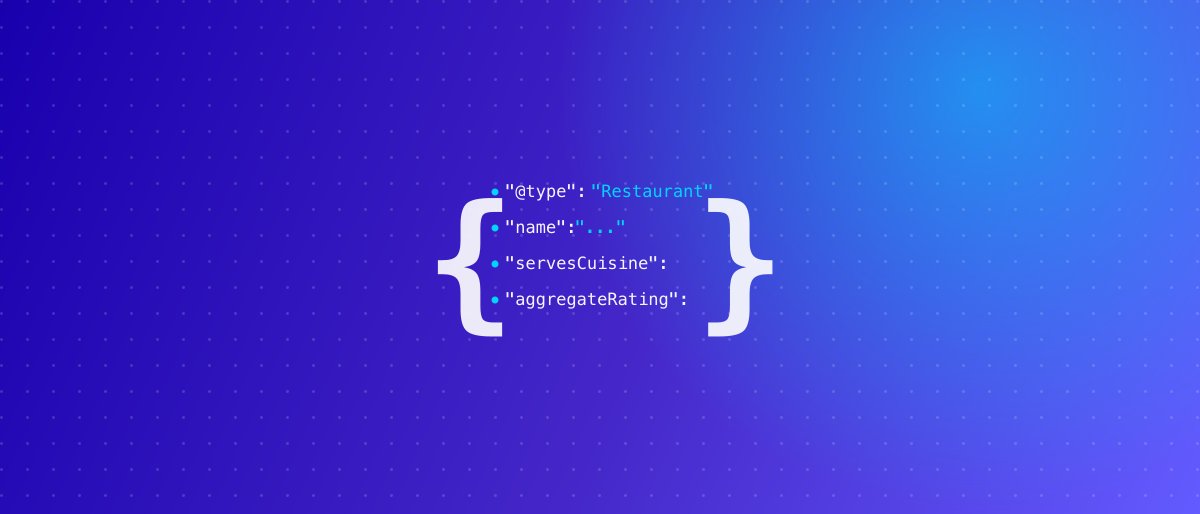
Schema markup is a bit of hidden code on your website that spells out, in a language Google reads perfectly, exactly what your restaurant is: your name, hours, cuisine, price range, menu items, and star rating. You don't see it on the page, but Google does, and it uses it to build the richer search result that wins the click. Without it, Google has to guess. With it, your listing can show stars, a price range, and even menu items right in search. Here's what it is in plain terms, the three types that matter for restaurants, and what each one unlocks.
What schema markup actually is
Think of your webpage as a printed flyer. A human reads "Open Tue to Sun, $$, Italian, book a table" and understands instantly. Google, reading the raw page, sees a wall of text and has to infer what's what. Schema markup is a set of labels, based on a shared vocabulary called Schema.org, that tags each fact so there's no guessing: this is the cuisine, this is the price range, this is the rating, this is a menu item and its price.
It sits in the page's code, invisible to visitors. Its only job is to feed search engines clean, structured facts. And because it removes the guesswork, it makes you eligible for the enhanced "rich results" that plain pages don't get, and increasingly for AI-generated answers that pull from structured data.
The three schema types restaurants need
You don't need to learn dozens of these. Three cover almost everything a restaurant wants out of search.
| Schema type | What it describes | What it can unlock in search |
|---|---|---|
| Restaurant | Name, address, phone, hours, cuisine, price range, accepts reservations | Knowledge panel details, price range ($$), hours, "reserve" action |
| Menu | Your dishes, sections, prices, and dietary flags (vegan, gluten-free) | Menu items and prices surfaced directly in Search and Maps |
| Review / AggregateRating | Your star average and total review count | Star rating and review count shown beneath your listing |
A quick note on each:
- Restaurant is the foundation. It confirms you're a restaurant (not a random business), serves Italian (or whatever), sits at a "$$" price point, opens these hours, and takes bookings at this link.
- Menu turns your dish list into data Google can actually read and display. It supports dietary flags like vegan, vegetarian, and gluten-free, plus descriptions and prices per item.
- Review markup is what puts those gold stars under your result. It reflects ratings you legitimately have; it doesn't invent them.
Before and after: what changes in search
Picture the same restaurant, two ways.
Without schema:
Mario's Trattoria
mariostrattoria.com
A family Italian restaurant serving fresh pasta and wood-fired pizza in downtown…
Plain blue link, a line of text. Nothing to grab the eye.
With schema:
Mario's Trattoria ★★★★☆ 4.6 (312) · $$ · Italian
mariostrattoria.com · Open until 10 PM · Reserve a table
Popular: Margherita Pizza $16 · Bucatini Cacio e Pepe $19…
Same restaurant, same page. But now a searcher sees the rating, the price level, that you're open, and a couple of signature dishes with prices, all before clicking. That richer result tends to earn more clicks, and more clicks feed the engagement signals that help you rank. The code didn't change your food. It changed how convincing you look in the split second someone decides where to eat.
Why "your menu needs it" specifically
Most restaurants publish their menu as a PDF or an image. Both are invisible to search, because Google can't read text inside a picture. So all that carefully chosen menu detail, the dishes, the prices, the gluten-free options, contributes nothing to search.
Menu schema fixes that. It hands Google your menu as clean, labeled data, which makes those items eligible to appear in Search and Maps and to be pulled into AI answers when someone asks "gluten-free pasta near me." A readable, marked-up menu also reinforces your relevance for the exact food searches you want to win, the same principle behind keeping a text menu on your Google Business Profile. A menu locked inside a PDF does none of this work.
How to get it added
Schema is added to your website's code, usually as a small block of JSON-LD in each relevant page's HTML. You have a few paths:
- On a modern CMS, a plugin or your site builder may generate basic Restaurant schema automatically. Check whether it's actually outputting Menu and Review types, not just the basics.
- On a custom or older site, it's a developer task to add and validate the markup. It's not a huge job, but it has to be done correctly, because malformed schema can be ignored or flagged by Google.
- Validate it with Google's Rich Results Test after it's live, so you know the markup is being read the way you intend.
If your site is a thin one-pager or a template that can't output proper structured data, schema is one of several reasons it's worth building the site right. Structured data, a readable menu, and fast mobile load usually come together in a proper website build, rather than being bolted onto a page that was never set up for it.
Want stars, price range, and menu items showing up in your result?
Schema done right, Restaurant, Menu, and Review types, implemented and validated, is part of our Local + Website SEO package.
Free audit · No commitment · Plain-English report
Frequently asked questions
What is restaurant schema markup in plain English?
It's hidden code that labels your restaurant's facts (cuisine, hours, price, menu, ratings) so Google reads them exactly instead of guessing, which lets your search result show stars, prices, and menu items.
Will schema markup improve my Google ranking?
Not directly, but it makes you eligible for richer results that earn more clicks, and it strengthens the relevance signals Google uses. More clicks and clearer relevance help ranking over time.
Do I need a developer to add schema?
Sometimes. Some website builders generate basic schema automatically, but Menu and Review types often need manual work and validation to be done right.
Why can't Google read my PDF menu?
Google can't read text inside an image or, reliably, a PDF. Menu schema (or a text menu) hands your dishes and prices over as readable data it can display.