Here’s a number worth sitting with: if your restaurant is doing $15,000 a month through Uber Eats, you’re handing over somewhere between $3,000 and $4,500 every single month in commission. That’s not a service fee. That’s your rent. That’s your sous chef’s wages. That’s the new espresso machine you’ve been putting off for two years.
Australian restaurant owners are sharp. You’ve survived rising food costs, staff shortages, and a post-COVID dining landscape that completely rewrote the rules. But too many great restaurants are still bleeding money to third-party platforms and managing service with systems that haven’t changed since 2010.
In 2026, that doesn’t have to be your story.
QR ordering systems have matured from a pandemic workaround into the most practical restaurant management tool on the market. Done right, they speed up your service, cut your commission bill to zero, and give you real visibility over what’s happening in your venue every single day.
This guide breaks down everything you need to know — what to look for, what to avoid, and why more Australian restaurants are switching to platforms like QRTable to run their entire operation from one dashboard.
Table of Contents
- What Is a QR Ordering System?
- Why Australian Restaurants Need One Right Now
- Top Benefits of QR Ordering for Your Restaurant
- Key Features to Look For
- How QR Ordering Improves Restaurant Efficiency
- Common Problems Restaurants Face Without It
- How to Choose the Right Platform
- Why QRTable Is Built for Australian Restaurants
- Real Use Cases
- Cost vs ROI
- Frequently Asked Questions
- The Bottom Line
What Is a QR Ordering System?
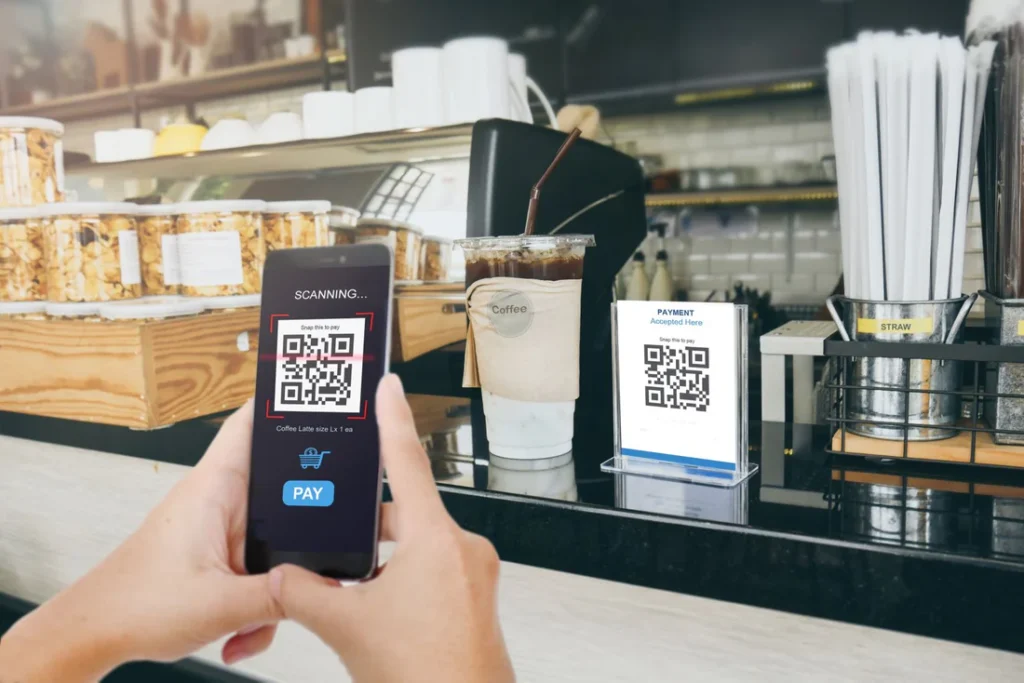
A QR ordering system lets your customers scan a code at their table — using any smartphone, no app download required — browse your digital menu, and place their order directly from their phone.
That order goes straight to your kitchen. No middleman. No “sorry, I didn’t catch that.” No waiting for a staff member to circle back.
But in 2026, a proper QR ordering system is much more than a digital menu. The best platforms combine table ordering, takeaway and delivery management, a full POS, inventory tracking, and customer data — all running together in one place.
Think of it as replacing five different tools with one dashboard your whole team can actually use.
Why Australian Restaurants Need One Right Now
The pressure on Australian hospitality has never been higher. Food costs are up. Minimum wage increases have pushed labour costs to record levels. And diners — especially in metro markets like Sydney, Melbourne, Brisbane, and Adelaide — expect faster service and a cleaner digital experience than they did even three years ago.
At the same time, the commission model is getting harder to defend internally. Platforms like Uber Eats charge up to 30% per order. For a restaurant doing solid volume, that’s not a marketing cost — it’s a structural drain on your business.
There’s also the operational side. Paper menus cost money to print every time you update a price or add a seasonal dish. Staff spend minutes per table just taking orders when those minutes could be used turning tables faster or improving the guest experience.
A well-implemented QR menu system solves all three problems at once.
Top Benefits of QR Ordering for Your Restaurant
1. Faster table turns When customers can order the moment they sit down — without waiting for a staff member to appear — your average table time drops. In a busy Friday dinner service, that’s extra covers. Extra revenue.
2. Fewer order errors Misheard orders cost you food, time, and customer goodwill. When the customer types their own order and it goes directly to the kitchen, the margin for error collapses.
3. Zero commission on every order With a platform like QRTable, you own your online ordering. No commission to Uber Eats. No cut to DoorDash. Every dollar your customer pays comes to you — not 70 cents in the dollar after platform fees.
4. Instant menu updates Change a price, add a dish, 86 an item that ran out — it takes 30 seconds and it’s live across every table immediately. No reprints. No crossed-out specials board.
5. Better data on what’s selling You’ll know exactly which dishes drive revenue, what time your busiest window is, and which tables turn fastest. That’s the kind of information that used to require expensive consultants or guesswork.
6. Staff can focus on hospitality When orders come through automatically, your floor staff can spend more time on the things that actually build loyalty — refilling drinks, checking in on first-timers, turning a good meal into a memorable one.
Key Features to Look For
Not all QR ordering platforms are built equally. When you’re evaluating options for your Australian restaurant, here’s what actually matters:
No-download ordering Your customers shouldn’t need to install an app. Any decent system in 2026 works through a standard browser scan. If a vendor still requires app downloads, walk away.
Built-in POS A standalone QR menu without a POS means you’re still managing two systems. Look for a platform where table orders, takeaway orders, and dine-in payments all flow through the same hub.
Kitchen Order Tickets (KOT) Orders need to reach the kitchen instantly and clearly. Thermal printer integration for KOTs is non-negotiable in a real service environment.
0% commission online ordering This is the big one. If the platform takes a cut of your online orders, it’s just Uber Eats with extra steps. Your platform should take a monthly subscription fee and nothing else.
Inventory management Real-time stock tracking and low-stock alerts stop you from running out of key ingredients mid-service — and help you reduce food waste over time.
Reservations and table management For full-service restaurants, being able to accept bookings digitally and manage your floor plan from the same system is a genuine operational upgrade.
Multi-location support If you run more than one venue or you’re planning to grow, make sure the platform can handle it. Central dashboards that show all locations in one view save hours every week.
Stripe and local payment support For Australian restaurants, payment processing needs to be fast, reliable, and familiar to your customers. Stripe is the gold standard.
How QR Ordering Improves Restaurant Efficiency
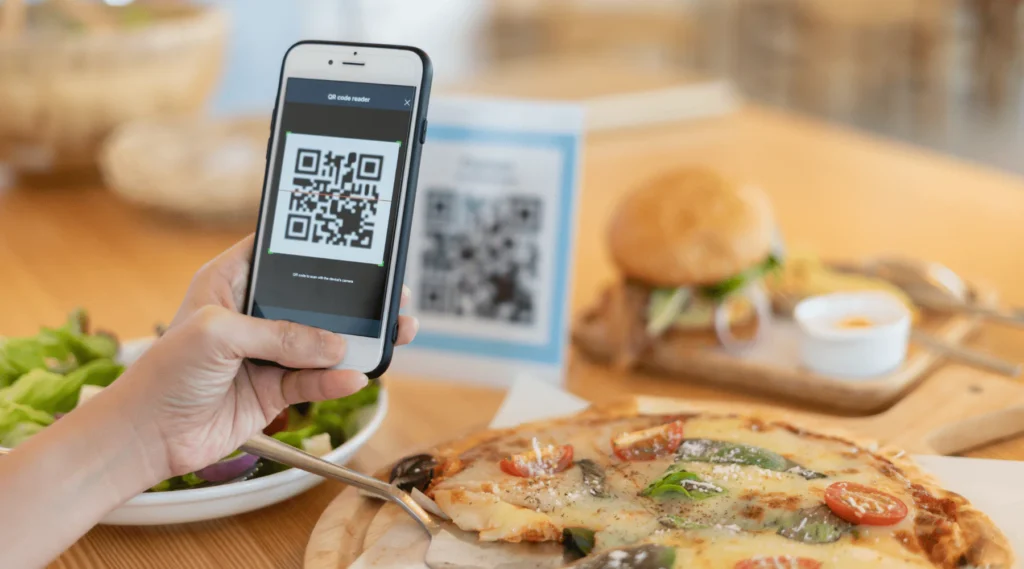
Let’s make this concrete.
Before QR ordering, a typical table sequence looks like this: customers sit, wait for menus, wait for a staff member to take orders, staff member relays orders verbally to kitchen, kitchen queries unclear items, food goes out. That sequence has four or five points where time or accuracy can break down.
With a digital ordering system, customers sit, scan, browse, and order. That order is in the kitchen within 60 seconds of them sitting down. Staff are freed to manage exceptions, check on tables, and deliver food — not take orders.
In busy services, this compounds quickly. One fewer staff member handling orders means they’re doing something more valuable. Faster ordering means faster kitchen flow. Faster kitchen flow means faster table turns.
For takeaway and delivery, the improvement is even clearer. Instead of managing orders coming in through three different apps with three different tablets on your counter, everything — dine-in, pickup, delivery — lives in one dashboard. One screen. One workflow.
Common Problems Restaurants Face Without It
If you’re still running on paper menus and a standalone POS, you’re probably familiar with at least a few of these:
The commission drain. You know the number. You just try not to look at it every month. A restaurant doing $20,000 in delivery volume is paying $4,000–$6,000 to platforms that don’t know your name.
Menu update bottlenecks. The printer is busy. The designer is slow. The new menu has a typo. The laminated specials are three months out of date. Customers notice.
Split-system chaos. Your POS doesn’t talk to your online ordering. Your inventory is managed in a spreadsheet. Reservations come through a separate booking app. Nothing connects.
No customer data. You’ve served the same family every Sunday for two years and you don’t even know their name, let alone what they always order. That’s a loyalty program you’re not running.
Staff bandwidth. During a Saturday rush, every minute your floor staff spends taking orders is a minute they’re not turning tables or managing the customer experience.
These aren’t minor inconveniences. Over a year, they add up to tens of thousands of dollars in lost revenue, wasted food, and staff hours.
How to Choose the Right Platform
When comparing QR ordering systems for your Australian restaurant, start with four questions:
1. What does it cost in total? Look beyond the headline monthly price. Factor in transaction fees, commission on orders, hardware costs, setup fees, and whether you need add-ons for basic functionality. A platform that looks cheap at $49/month can end up costing far more when you add up every layer.
2. Does it replace your whole stack, or just add to it? The real savings come when one platform replaces multiple systems — your POS, your ordering app, your reservations tool. If it’s just a digital menu that doesn’t talk to anything else, the operational benefit is limited.
3. Is the pricing model honest? Monthly subscription with no commission is the only model that makes long-term sense for a restaurant. Avoid any platform that takes a percentage of your orders — it’s a hidden cost that grows with your success.
4. Can you actually get support when something goes wrong? This matters more than any feature list. If your ordering system goes down on a Friday night, you need someone on the other end of the phone. Check what support looks like before you commit.
Why QRTable Is Built for Australian Restaurants
QRTable was designed specifically for the kind of restaurant that doesn’t have an IT team — the independent café in Adelaide’s suburbs, the family-owned Greek restaurant in Melbourne, the burger joint in Brisbane that’s ready to open a second location.
Here’s what makes it different from the alternatives:
It’s genuinely all-in-one. QR table ordering, online ordering, a full POS, KOT printing, inventory management, reservations, staff management, and customer data — all in one platform. You’re not stitching together five tools and hoping they talk to each other.
0% commission. Always. Not a promotional rate. Not a limited-time offer. Every order through QRTable — dine-in, takeaway, delivery — you keep 100%. Full stop.
Pricing that makes sense for small businesses. The SmartServe plan starts at $29/month. That’s full ordering, POS, KOT, staff management, and payments. For context, Toast’s entry-level setup in the US typically runs $69/month before you factor in hardware and processing fees. Lightspeed (formerly Kounta) in Australia starts around $119 AUD/month.
The DinePro plan ($79/month) adds reservations, table booking, exportable reports, and priority support — everything a growing full-service restaurant needs.
For chains and multi-location groups, the ChainMaster plan ($199/month) gives you a central control panel, multi-branch management, delivery executive management, and a dedicated success manager.
Annual plans save around 20%. If you commit to the year, SmartServe drops to the equivalent of $23/month, and DinePro to about $63/month.
There’s a free plan. LiteBite is a forever-free digital QR menu — no ordering or payments, but ideal for a café that just wants to go paperless and see how the platform feels before committing.
It works on any phone, on any browser. No app download for your customers. No hardware requirement beyond a printed QR code and a thermal printer you probably already own.
Unlike me&u — which is built for large venues and hotel groups with enterprise pricing to match — QRTable is priced and built for independent operators.
Real Use Cases
The suburban café switching from paper menus A single-location café in Port Adelaide starts on the LiteBite free plan. Customers scan, browse, and order coffee without flagging down staff during the morning rush. After three months, the owner upgrades to SmartServe and adds takeaway ordering. They shut down their Uber Eats account and promote their own ordering link on their Google Business Profile. Within six months, they’re keeping an extra $1,200 a month they were previously paying in platform commission.
The full-service restaurant streamlining service A family-run Italian restaurant in Melbourne’s inner suburbs is running three separate systems: a legacy POS, a paper reservation book, and phone orders for takeaway. They move to DinePro. Orders from tables go directly to the kitchen. Reservations are managed digitally. Takeaway orders come through their own branded page with zero commission. Two of their four floor staff now handle hospitality rather than order-taking.
The growing chain adding a second location A burger group with two locations in Brisbane is managing each site separately. Reporting is a mess. Stock counts don’t reconcile. They upgrade to ChainMaster and get one consolidated dashboard across both venues, unified inventory, and a dedicated account manager helping them set up for a third location.
Cost vs ROI
Let’s run a straightforward comparison.
Current situation (typical independent Australian restaurant):
- Uber Eats commission on $12,000/month delivery volume: ~$3,000/month (25% average)
- Paper menu reprints (quarterly): ~$150/month equivalent
- Separate POS subscription: ~$100/month (Lightspeed entry)
- Reservations app: ~$50/month
- Total: ~$3,300/month (excluding staff time lost to manual processes)
With QRTable DinePro:
- Monthly subscription: $79/month
- Commission on orders: $0
- Paper menus: $0
- Separate reservations tool: $0
- Total: $79/month
The commission saving alone — if you move even half your delivery volume to your own ordering channel — pays for the platform many times over in the first month.
The pricing page breaks down every plan in detail. The free plan requires no credit card.
Frequently Asked Questions
Do my customers need to download an app?
No. QRTable works on any smartphone browser. Customers scan the QR code, and the menu opens immediately. Nothing to install.
Can I keep using my existing thermal printer?
Yes. QRTable integrates with standard thermal printers for KOT printing. You don’t need to buy new hardware.
What payment methods does QRTable support?
Stripe is the primary payment processor for Australian restaurants — covering credit/debit cards, digital wallets, and tap-to-pay. Pay-at-table and cash on delivery are also supported.
Is there a lock-in contract?
No. QRTable operates month-to-month. Annual plans are available at a discount if you choose them, but there’s no forced commitment.
Can I manage multiple locations?
Yes. The ChainMaster plan ($199/month) is built for multi-location and franchise operations with a central control panel across all branches.
What if I just want to test it out?
Start with the free LiteBite plan. It’s a fully functional digital QR menu with no time limit and no credit card required. Upgrade when you’re ready.
Does QRTable charge commission on orders?
Never. All plans include 0% commission on every order — dine-in, takeaway, and delivery.
What support is available for Australian restaurants?
Priority support is available on DinePro and above. ChainMaster includes a dedicated success manager. QRTable is operated with a team in Australia, so support hours align with local time zones.
The Bottom Line
The case for switching to a QR ordering system in 2026 isn’t really a technology argument. It’s a financial one.
Every month you’re running on Uber Eats commission and a fragmented set of tools, you’re paying more than you need to for less than you deserve. The commission model was designed to benefit the platform, not you. And a patchwork of apps that don’t talk to each other is a management headache that costs you time — which, during a double shift, is the one thing you can’t get back.
A platform like QRTable exists specifically for restaurants in this position: independent operators who are good at what they do, tired of being squeezed, and ready for a system that actually works for them.
The free plan is there if you want to start without any commitment. The paid plans are priced for real restaurants, not enterprise hotel groups. And the 0% commission model means the platform only makes money when you stay — which is a very different incentive to the one Uber Eats has.
Ready to Keep More of Your Revenue?
Start free — no credit card, no commitment, no commission ever.
Or explore the full feature set and pricing at qrtable.io.
Questions? Reach out at hello@qrtable.io — there’s a real person on the other end.
Related reading: